Every mention. One calm view.
Slack, Outlook, and Jira/Confluence mentions — gathered into a single, gentle triage view with due dates, so nothing quietly slips through.
Free, no account needed. Unsigned builds for now — see install notes below.
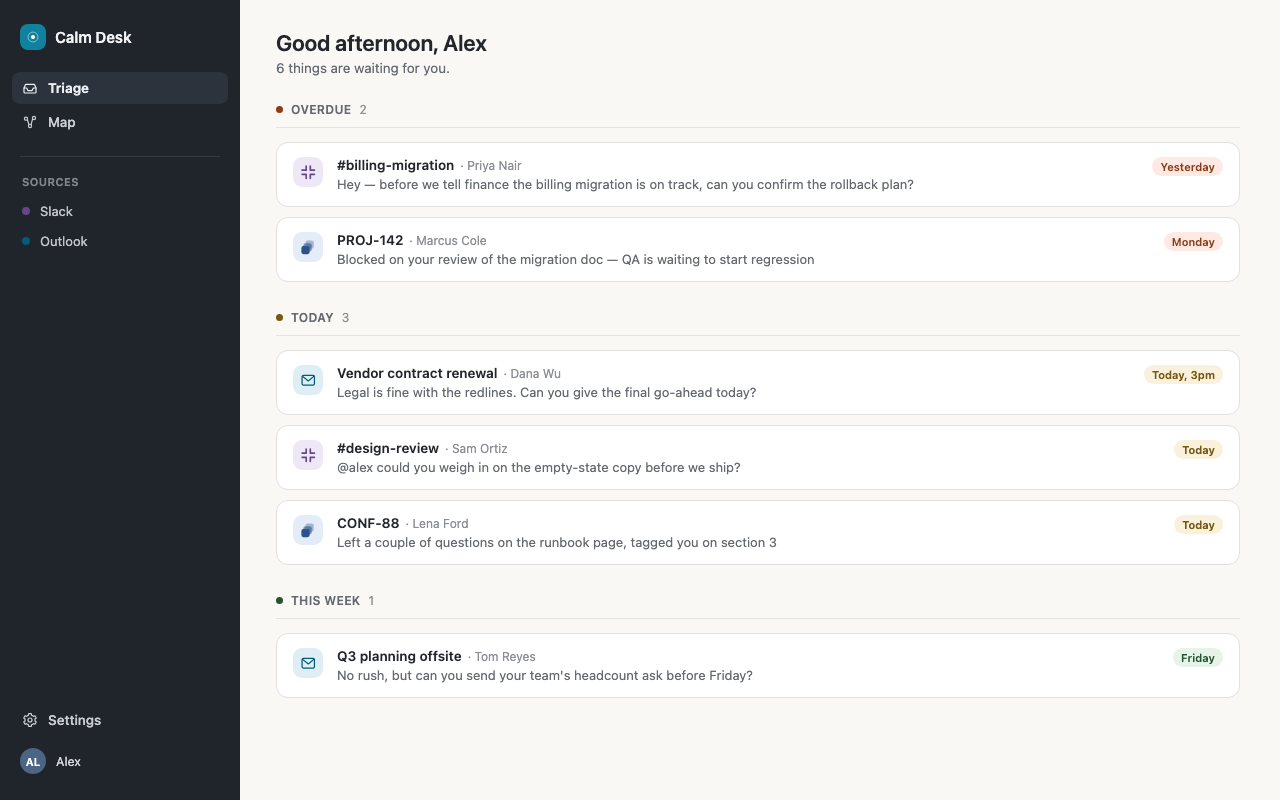
One view, not four inboxes
Slack, Outlook, and Jira/Confluence normalized into a single list — sorted by real urgency, not by which app happens to be loudest.
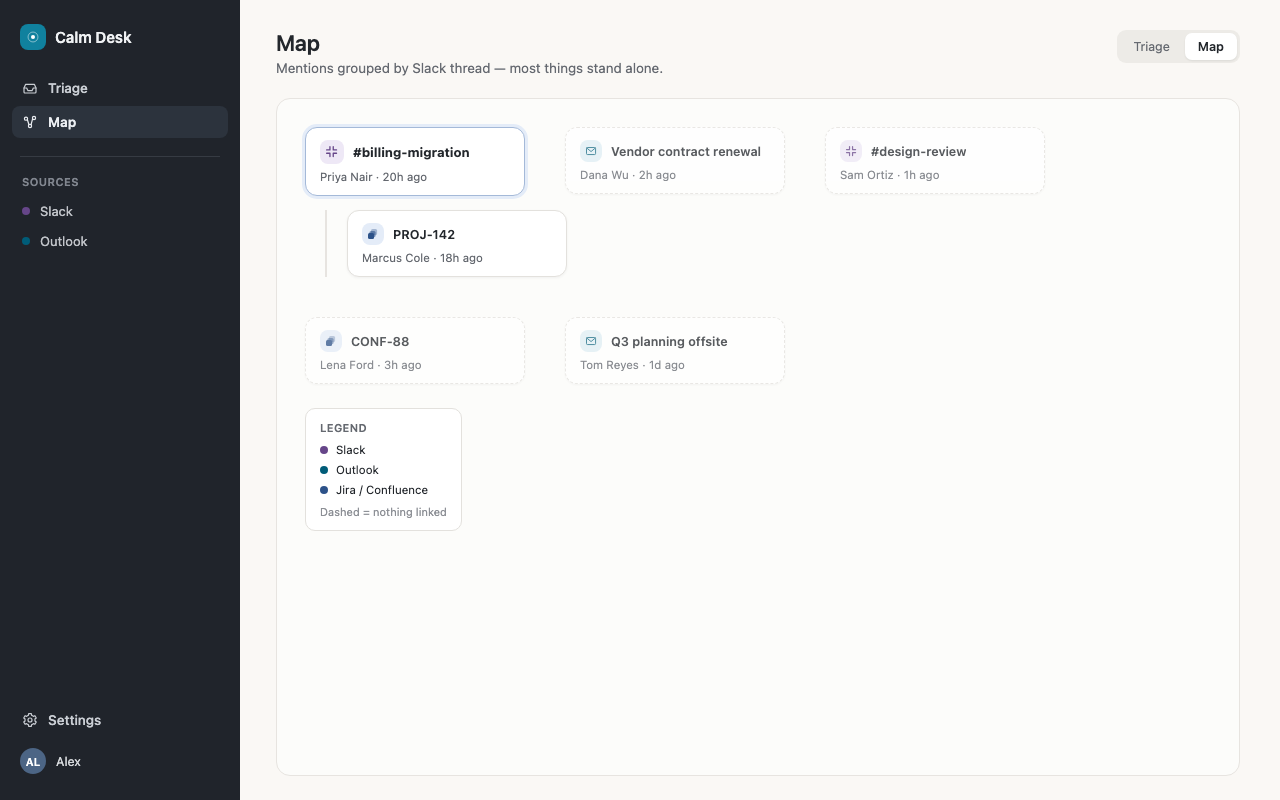
See how things connect
The Map view groups mentions by thread, so a conversation reads as one thing instead of five disconnected notifications.
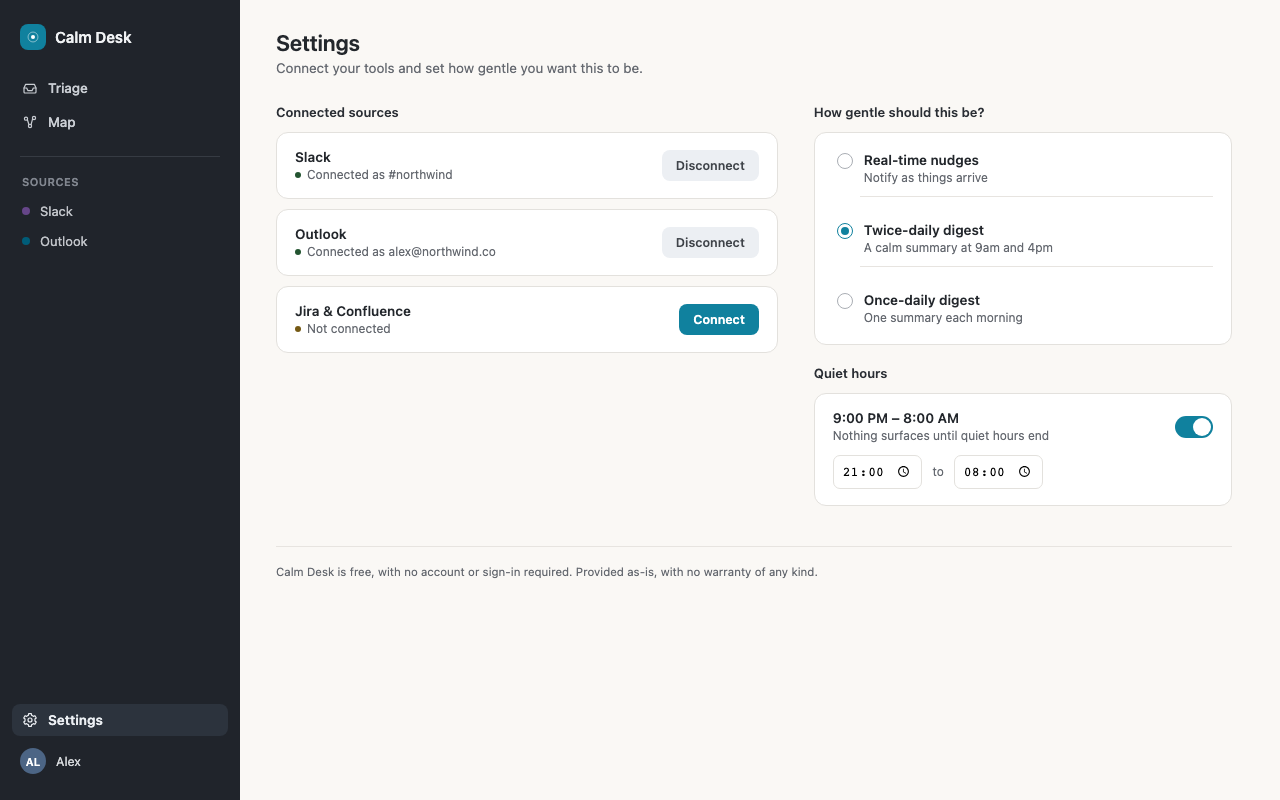
Gentle by design
Quiet hours and digest cadence you control — notifications batch instead of interrupt, and the app stays out of your way until you open it.
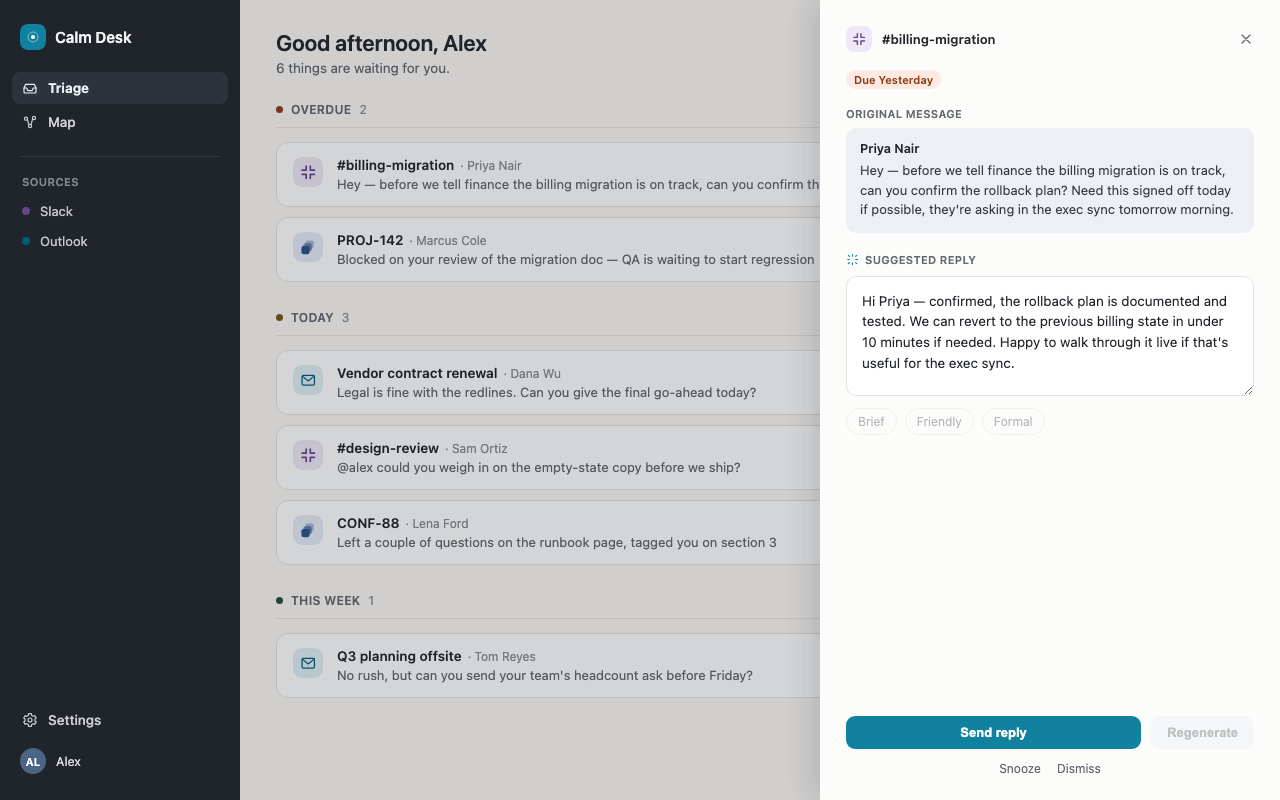
AI-drafted replies coming soon
A ready-to-send draft for each mention, so replying is an edit-and-send instead of a blank page.
Download
Not code-signed yet — no Apple Developer ID or Windows code-signing certificate configured. Your OS will warn about an unidentified publisher; here's how to get past that.
macOS
Calm-Desk.dmg — after installing, macOS will refuse to open it ("Calm Desk is damaged and can't be opened") because it isn't notarized. Clear the quarantine flag in Terminal:
xattr -cr "/Applications/Calm Desk.app"
Windows
Calm-Desk-Setup.msi (or the .exe installer) — SmartScreen will show "Windows protected your PC." Click More info → Run anyway.
Linux
Calm-Desk.deb or Calm-Desk.AppImage — no special steps needed.
Free. No account. No catch.
No sign-up, no subscription, no usage limits — download it and connect your tools. Slack, Outlook, and Jira/Confluence data stays on your device; it's never uploaded to or stored on a Calm Desk server.
Calm Desk is provided as-is, with no warranty of any kind — there's no support contract or SLA behind it, and it may change or be discontinued at any time.